Conditional Access bypasses
In Microsoft Entra, Conditional Access is, after the Authentication itself, the most crucial part of defense against attackers. It’s referenced as “zero trust policy engine” and the idea behind is, that in addition to your username and password you can also enforce additional requirements when you access a specific resource.
This could be any combination of
- a second factor (2FA),
- a specific authentication method (e.g. passkey)
- a device that is in a “compliant” state
- a trusted or compliant network
and a lot more, depending on your specific use case.
Every authentication, every resource, every application is should be protected by it. This makes it an important service for admin, defenders and of course adversaries alike. Bypassing this control is therefore a critical security vulnerability and should not happen.
Conditional Access bypass definition
There are many articles on Conditional Access bypasses on the internet. And in many cases you will find bypasses that are rooted in the misconfiguration of the policy rules themselves. This could be something like missing operating systems you don’t normally service in your organization or excluding accounts from the rule set completely. For an attacker it doesn’t matter what is the reason, as long as they can reach their goal.
But I want to focus on bypasses that you don’t have any say in: Built-in bypasses implemented by Microsoft.
Device compliance
I started this research in December of 2024 when Yuya Chudo gave his talk “Unveiling the Power of Intune: Leveraging Intune for Breaking Into Your Cloud and On-Premise” at Black Hat Europe. The most intriguing part of his talk was the fact, that to enroll a device into Intune, you cannot pass the conditional access grant control “Require device to be marked as compliant”.
Dirk-jan Mollema had discovered this vulnerability back in 2023 and had released the App Id on Twitter.
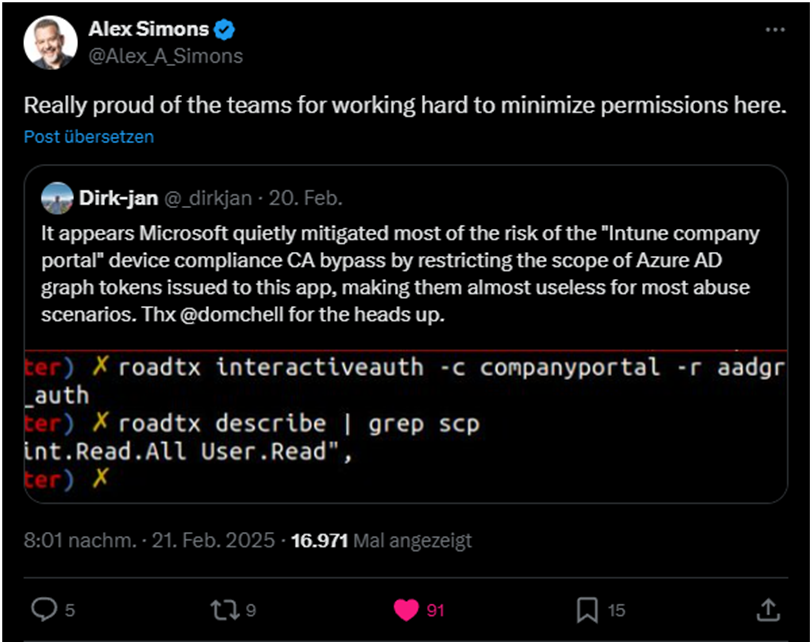
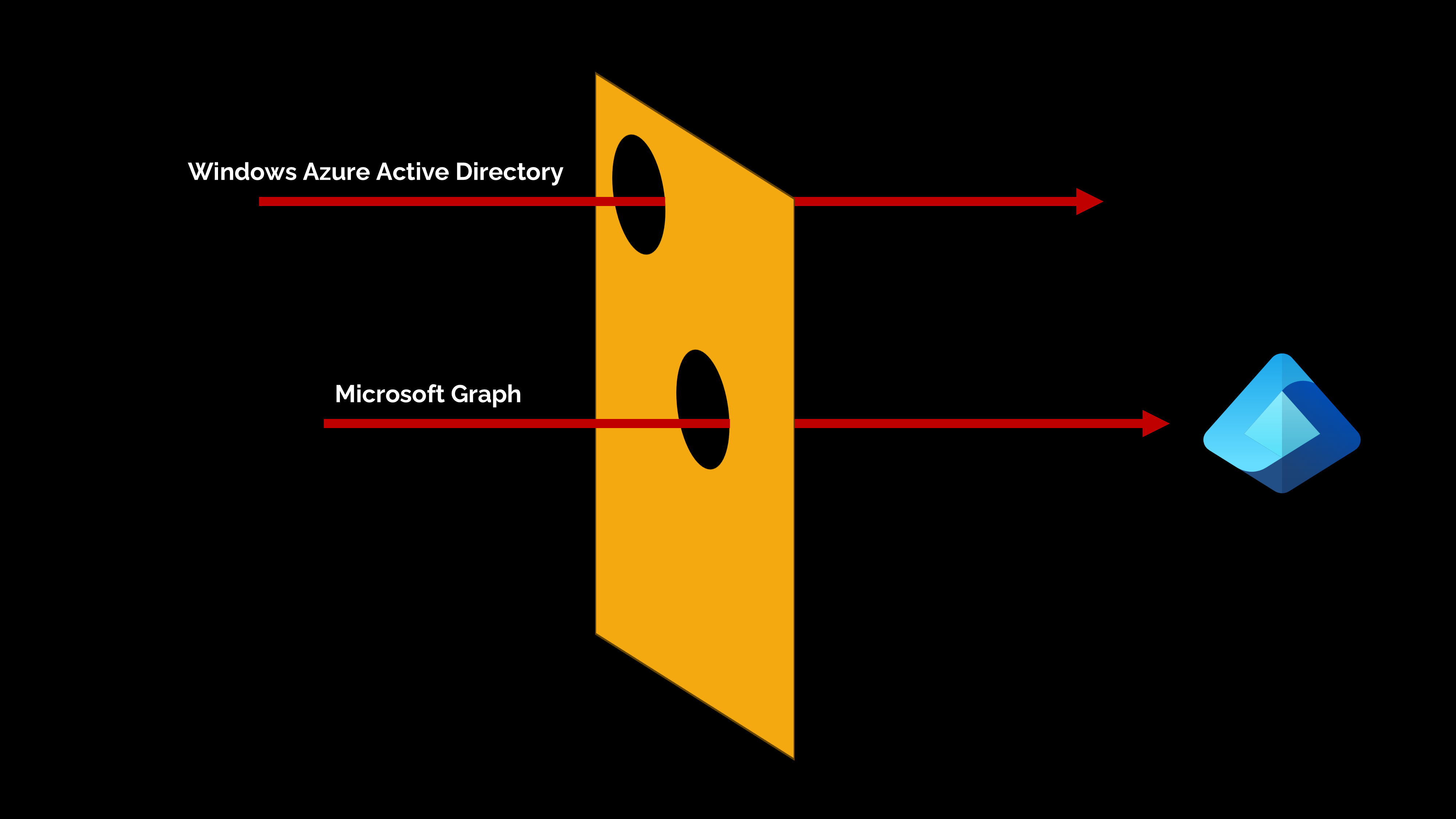
While this is expected and many tutorials on the internet recommended excluding the required resource from such a policy, Microsoft at some point added these exclusions in the backend. They not only implemented this bypass for the Intune registration but multiple others resources including the “Windows Azure Service Management API” and “Microsoft Graph API”. With scope “user_impersonation” the first of the two had far reaching impact, since an attacker could bypass your compliant device requirement and change e.g. Conditional Access policies through the Azure AD Graph API.
Microsoft fixed this a few weeks later, while initially dismissing it as “by-design”, by limiting the scopes to a small subset of the original vector, making the attack less of an issue.
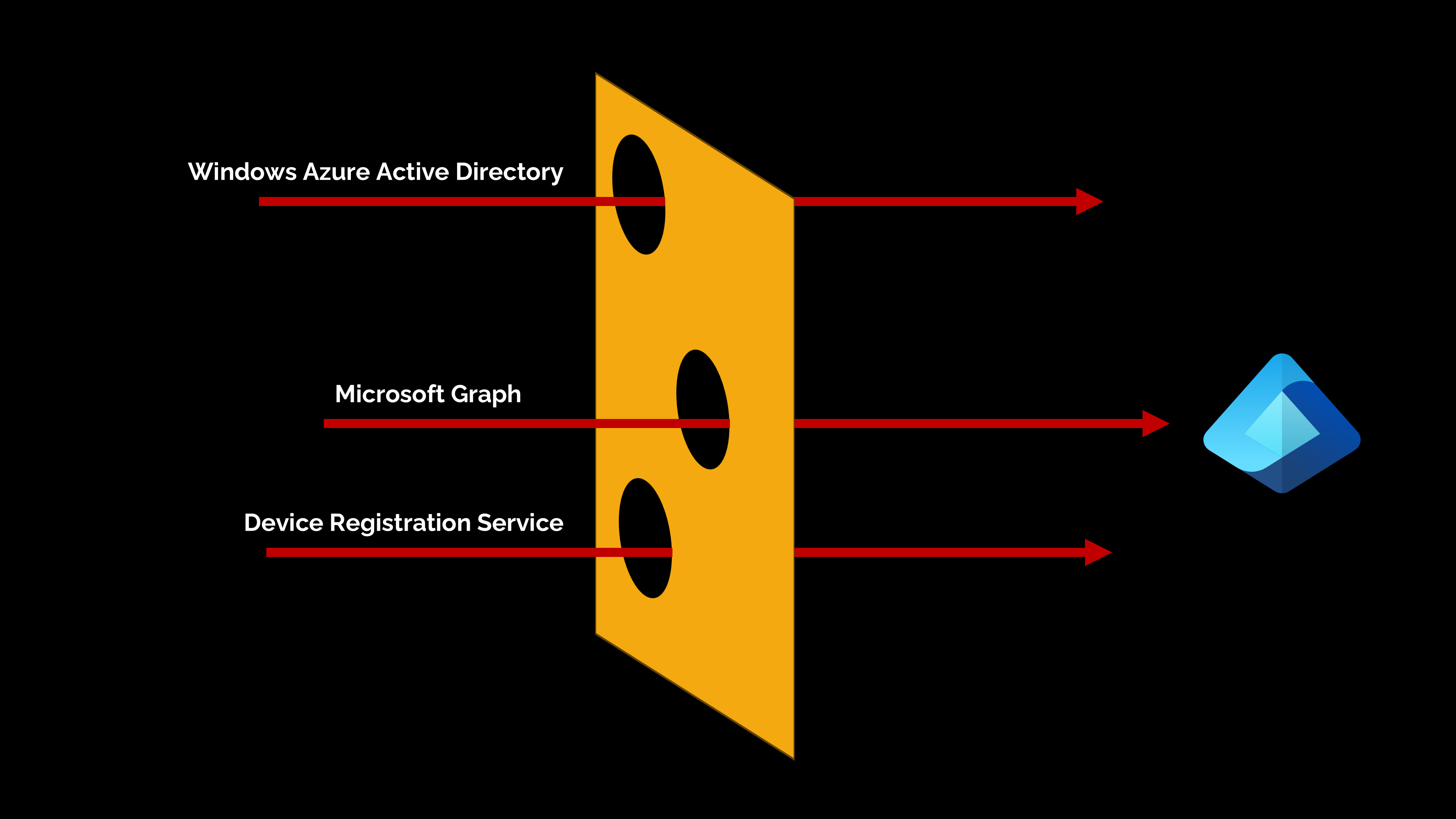
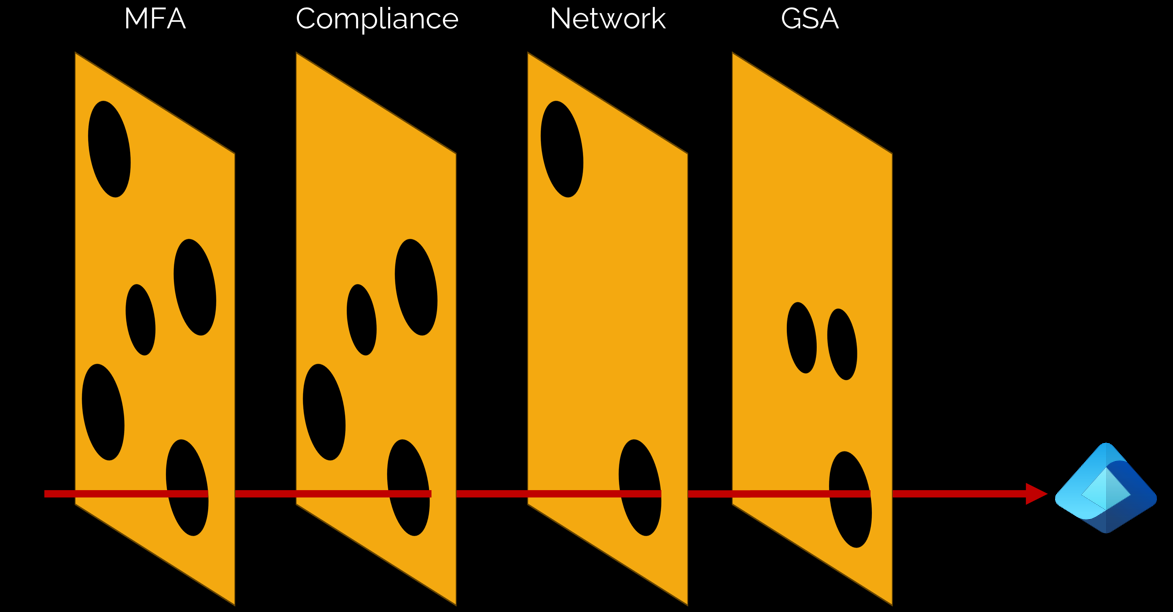
Here is a visual representation of the bypass as a slice of Swiss cheese.
Further research
All this made me wonder if there were more undocumented bypasses in Conditional Access and it lead me down the rabbit hole of application and resource combinations, specific scopes and resulted in a joint talk with Dirk-jan at TROOPER25.
In our session we explain our different initial motivations that lead to our joint research. While Dirk-jan was already working on a method to test all known applications and resource ids to document the pre-consented API permissions, I was more focused on testing Conditional Access enforcement for all Family Of Client Ids (FOCI) application Ids and their pre-consented resources.
If you want to know how exactly we did all of this, you can download the slides here and watch the full talk on YouTube. In this blog post I want to highlight the key findings, which at the time of the talk we were not able to fully share yet.
Documented bypasses
Before I now dive into the other results of our research, I want to highlight different documented bypasses, that could have far reaching consequences in many organizations.
Resource exclusion bypass
Microsoft has documented this bypass in the “Target resources” section of the Conditional Access documentation.
The gist of it is, if you ever exclude just one resource from your Conditional Access policy, the following resource/scope combinations are no longer covered by this policy:
- Azure AD Graph: email, offline_access, openid, profile, User.Read
- Microsoft Graph: email, offline_access, openid, profile, User.Read, People.Read
While this doesn’t sound like much, it means that access to your Entra data that contains extended information about the user itself, is no longer as protected as you might have intended, even if you excluded a completely different resource in the first place.
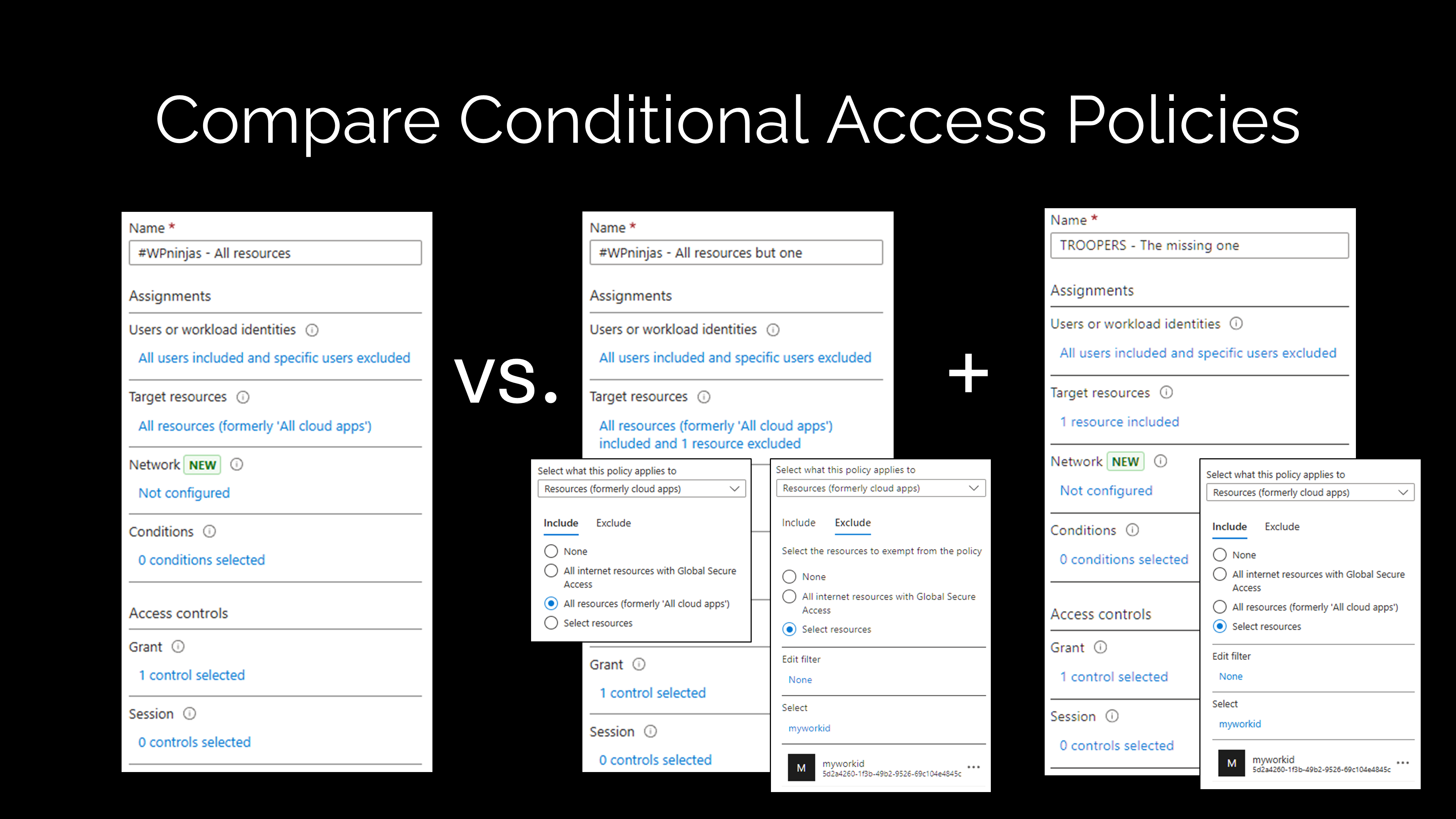
The Microsoft documentation outlines how to target Windows Azure Active Directory (00000002-0000-0000-c000-000000000000) using Custom security attributes for a few months now, but because you can just target the resource itself without relying on custom security attributes I would recommend this, as it’s by far easier to implement and understand, and the results in my lab show no different behavior.
Device registration bypass
For this research I created many different test scenarios, each focusing on a particular Conditional Access control (require MFA, require Compliant Device, etc.). One of them being a “Trusted Location”. While on its own, not a recommended security control in any zero trust model, it can be seen as such in many real world implementations. Companies love to block access from untrusted networks for certain resources.
One resource that cannot be protected by this control, is the “Device Registration Service (01cb2876-7ebd-4aa4-9cc9-d28bd4d359a9)”. Only “Require multifactor authentication” can be used as a grant control and MSRC confirmed this as expected behavior (VULN-153600).
The result of this: An attacker could register a device in your Entra tenant, even if you block any access from untrusted locations.
Global Secure Access bypass
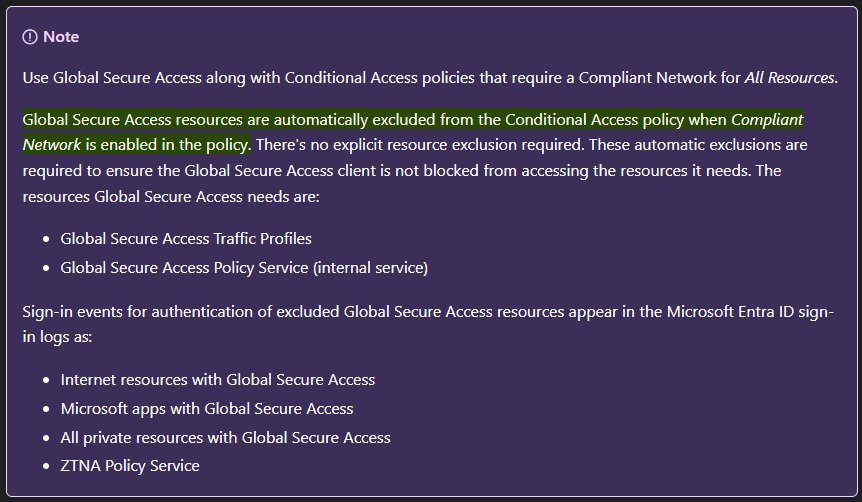
This bypass is implemented for a similar reason as the Intune Company Portal bypass, but with a far smaller scope and documented from day one.
Basically all resources that are required for the GSA client to connect to the service itself, are not protected by the “Compliant Network” grant in Conditional Access to prevent a situation were the user cannot sign-in to the GSA network because it’s not on this network.
This concludes the documented bypasses, let’s move to the new findings.
Scope based bypass
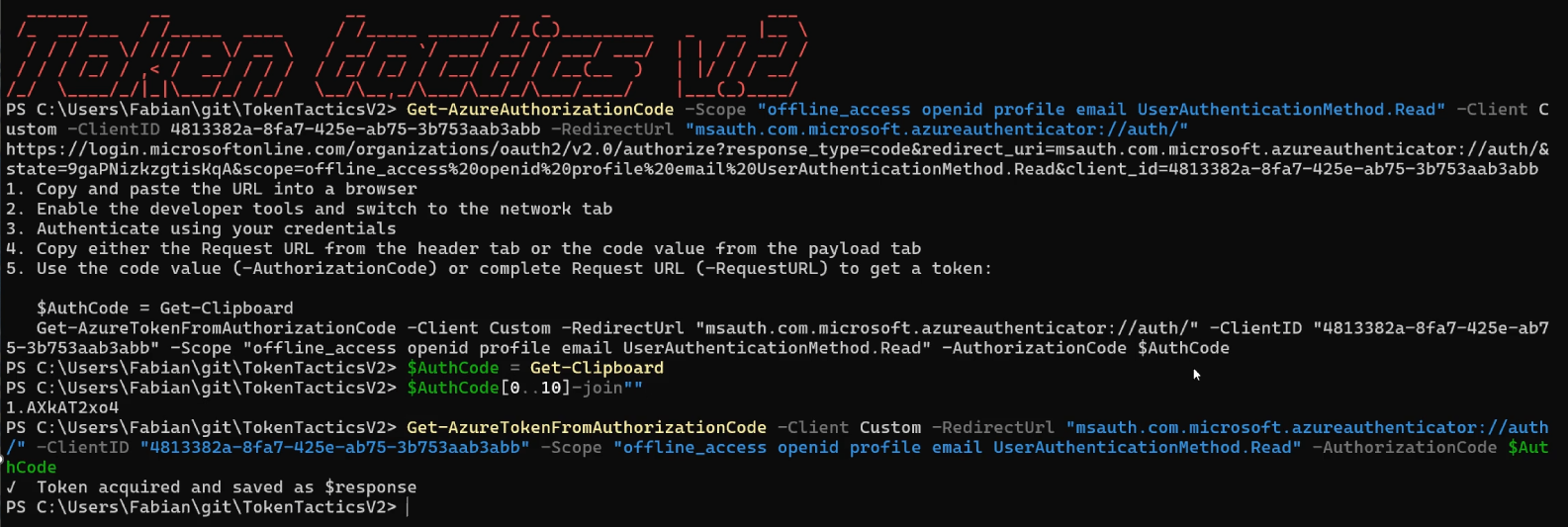
When running my scripts to find Conditional Access bypasses, initially I only looped through the known FOCI applications, which we identified 13 more of, and all known pre-consented resources. But through some other research I did at the time, I found a bypass by accident and it opened up a completely new rabbit hole: Scope based bypasses.

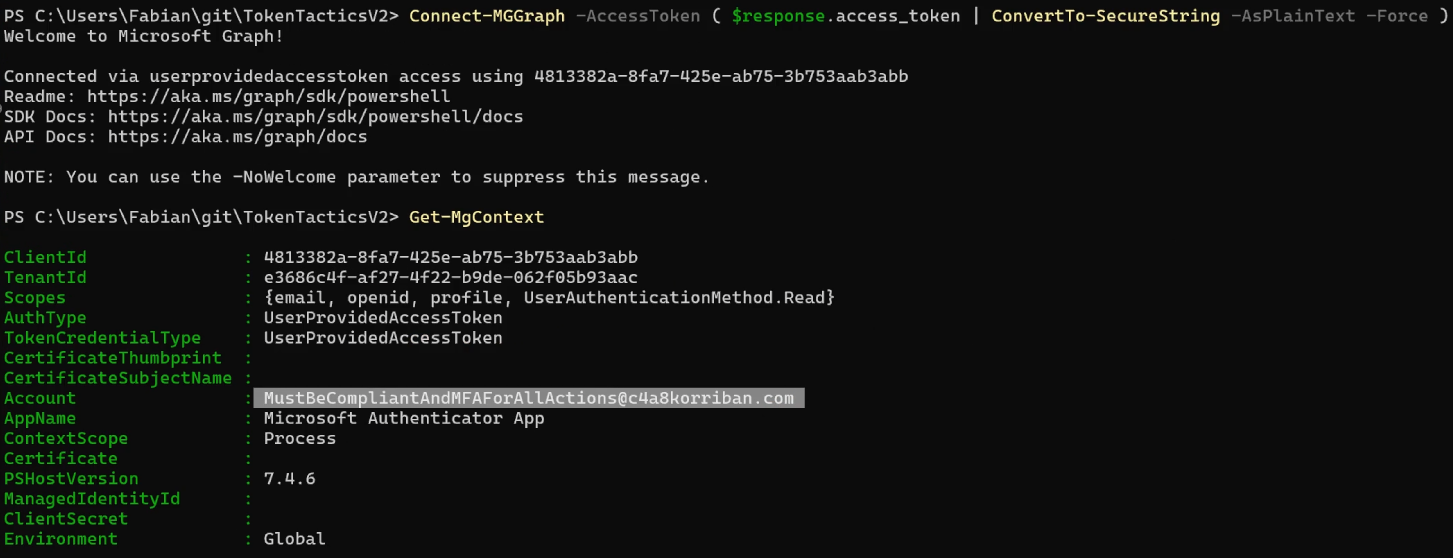
The Microsoft Authenticator App (4813382a-8fa7-425e-ab75-3b753aab3abb) on Android and iOS requested a very specific scope combination, when you were creating a passwordless MFA method on the device.
UserAuthenticationMethod.Read openid profile offline_access

The combination itself was not what was interesting, but that when you used this combination of scopes, the Compliant Device policy (again) was not enforced. If you used any other combination or just the .default scope, access was blocked by Conditional Access.
The granted scope allows a potential attacker to read e.g. the phone number registered for Multifactor Authentication.
Allows the app to read the signed-in user’s authentication methods, including phone numbers and Authenticator app settings.
Source: Microsoft Graph permissions reference
The fix
After confirming my findings multiple times and recording a POC I contacted MSRC.
- 19.01.2025 - Reported to MSRC
- 23.01.2025 - Case opened and tracked as VULN-14615
- 11.04.2025 - Confirmed, fixed, and bounty awarded
- 26.06.2025 - Public disclosure at TROOPERS
When Microsoft reported it fixed, I validated this and found it very curious how the fix was implemented. You still can request the access token from Entra ID, so the bypass is still in place, but when you try to request the authentication methods, the Graph resource will present you with a “Request Authorization failed” error message. Basic information about the user through e.g. beta/me endpoint are still accessible.
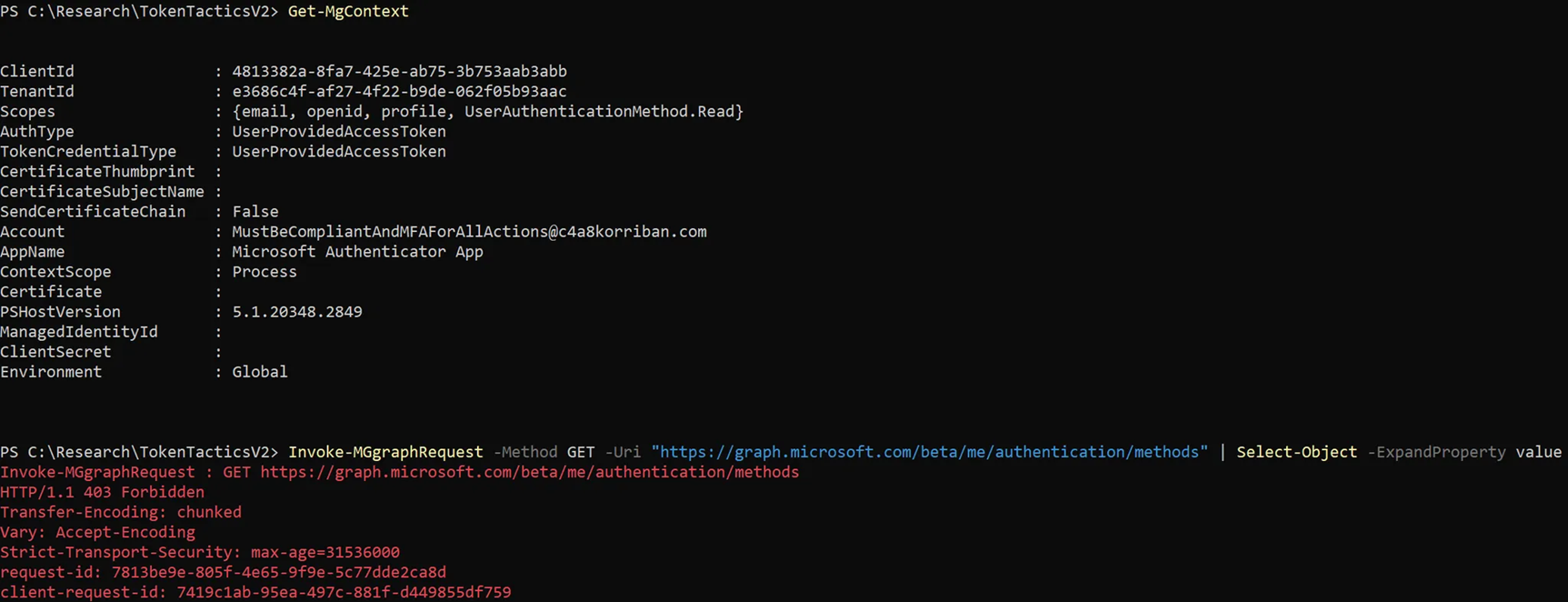
My best guess is that they require this level of access to provide the passwordless authentication methods registration flow, but removed the scope that could expose sensitive information.
The result of this excursion was, that in addition to looping through application and resource id, I added another loop through known scopes to the script. This expanded the scope (pun intended) of the research quite a bit, and extended the runtime even more. I also implemented a method that added newly found scopes that were returned for e.g. the .default scope back into the database.
Device Management Service bypass
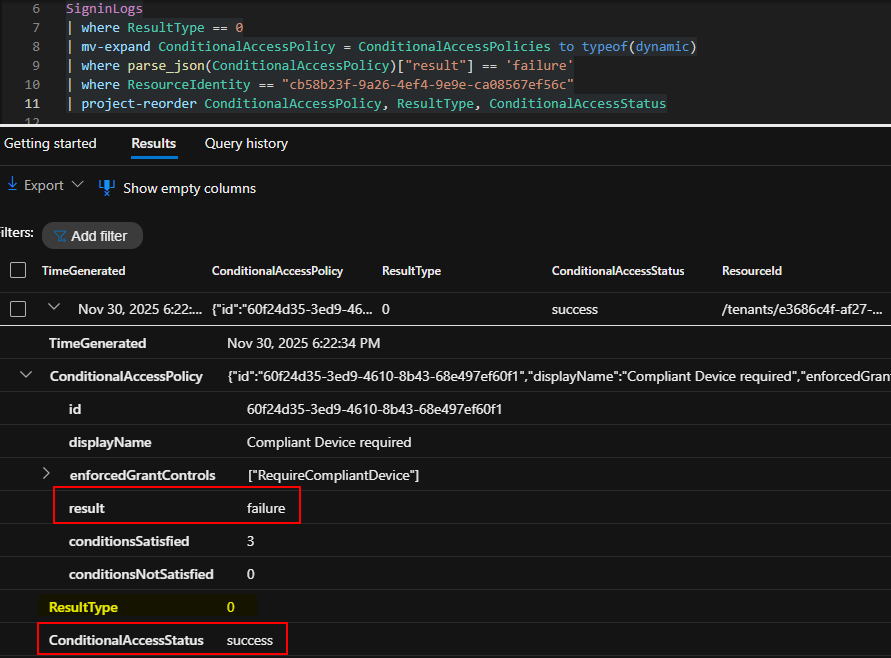
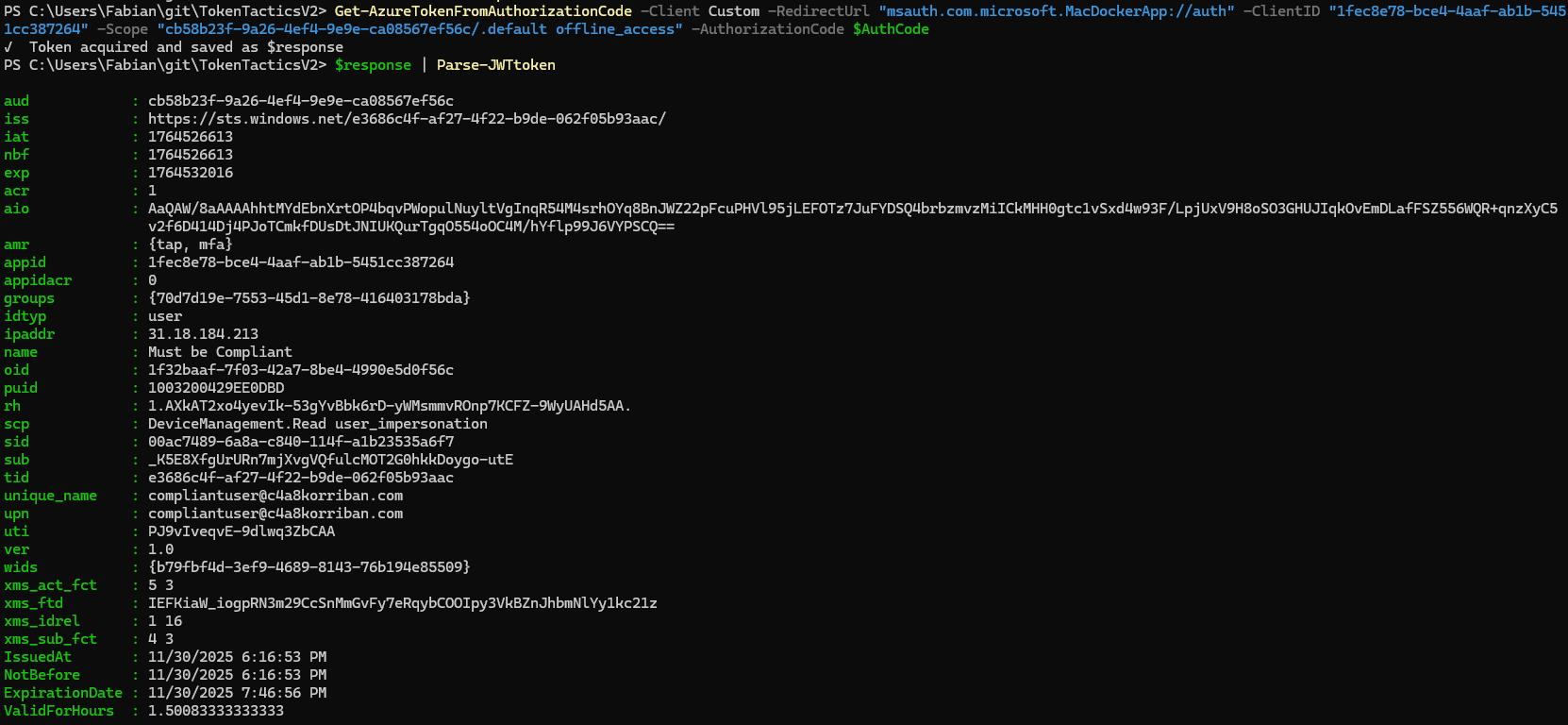
The second bypass I found was for the resource Device Management Service (cb58b23f-9a26-4ef4-9e9e-ca08567ef56c). This resource is not protected by the compliant device control when you request access using the app id of Microsoft Teams (1fec8e78-bce4-4aaf-ab1b-5451cc387264).
This bypass grants you the following scopes:
DeviceManagement.Readuser_impersonation
I was not able to find a way to abuse this resource and MSRC closed the respective case as “by-design”. As of November 2025 this bypass still is working as described.
Resources completely excluded from Conditional Access
In my testing certain resource ids were bypassed again and again.

After a few iterations and inspecting the SigninLogs it became clear why: For all these resources, Conditional Access policy enforcement is not possible. In the SigninLogs the Conditional Access status is always reported as notApplied.
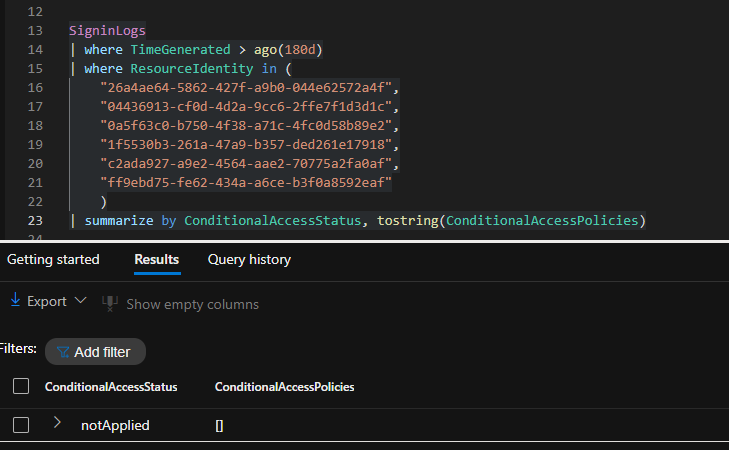
The resources in question are the following
| Resource Id | Resource Name |
|---|---|
| 26a4ae64-5862-427f-a9b0-044e62572a4f | Microsoft Intune Checkin |
| 04436913-cf0d-4d2a-9cc6-2ffe7f1d3d1c | Windows Notification Service |
| 0a5f63c0-b750-4f38-a71c-4fc0d58b89e2 | Microsoft Mobile Application Management |
| 1f5530b3-261a-47a9-b357-ded261e17918 | Azure Multi-Factor Auth Connector |
| c2ada927-a9e2-4564-aae2-70775a2fa0af | OCaaS Client Interaction Service |
| ff9ebd75-fe62-434a-a6ce-b3f0a8592eaf | Authenticator App |
You can use any application that has pre-consented permissions for one of the resources without ever being touched by Conditional Access when requesting an access token.
This is, according to the MSRC, by design:
Each accessed resource provides read-only, non-sensitive tenant data and serves as a preliminary step before reaching the final resource—such as an Office app like Outlook. These intermediate authentication steps allow the application to retrieve basic information needed to complete sign-in. Conditional Access policies are enforced before a token is issued for the final resource, which grants access to user data.
As of writing this blog post, I have not yet found any way to exploit those resources beyond the retrieval of the access token itself. So Microsoft’s reasoning seems to hold up. But since most of those resources are not (well) documented it’s unclear if there is not something of interest here. At least one use-case came to my mind.
Use case: Password verification without MFA
Because those resources are not enforcing MFA requirements, an attacker could use those endpoints to test passwords without generating 50074 - Strong Authentication is required. in the logs. So those are a great way to verify username and password if you already have this information.
EntraScopes.com
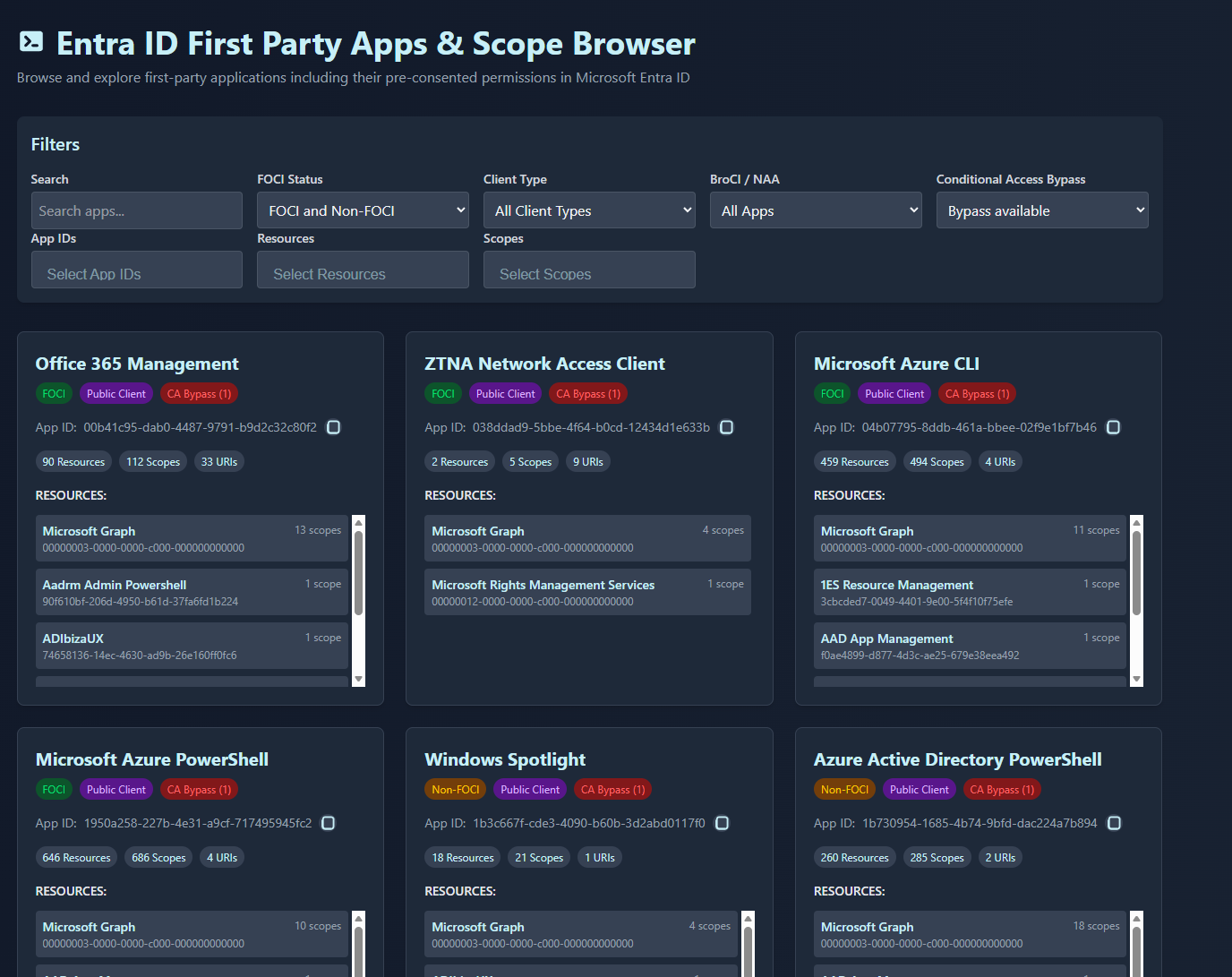
With the initial publishing of the research in June, Dirk-jan and I released the information in an easy to use way on entrascopes.com.
It is the yellow pages, Google, for Entra ID applications, resources, pre-consented permissions and Conditional Access bypasses.
Think in (cheese)-layers
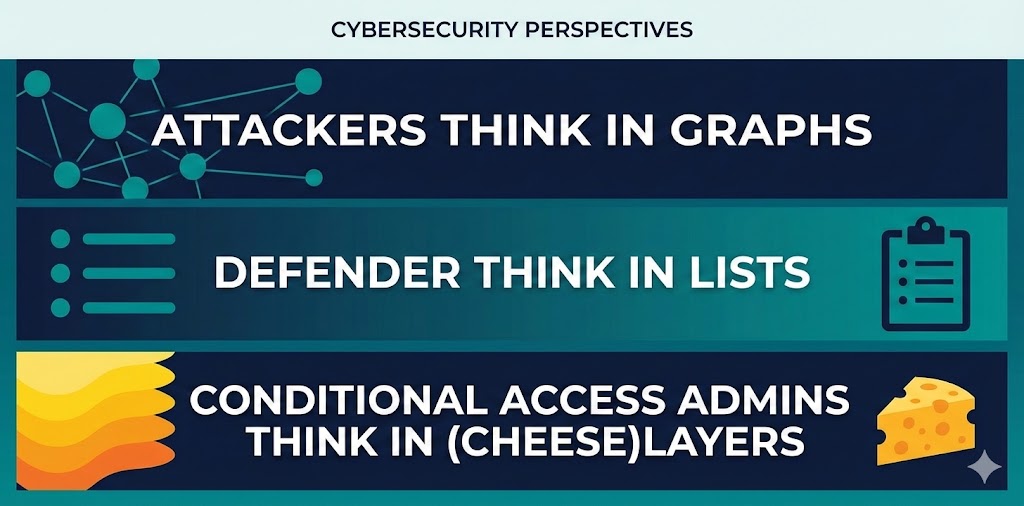
The Swiss cheese model is a good way to build your own Conditional Access policies. Just because one slice of cheese lets through an attacker, the next one might hold them back. All, except of the last bypass, only bypass a single policy enforcement. That is why it’s so important to build multiple additive policies and not one that contains an OR.
- Require MFA AND compliant device, not MFA OR compliant device
- Require MFA AND compliant/trusted network, not MFA OR compliant/trusted network
Basically, require multifactor authentication for all users as a bare minimum and everything else on top. Use something like the free Maester security test framework to test your current configuration.
Further reading
- Conditional Access Overview - Zero Trust Policy Engine
- Unveiling the Power of Intune: Leveraging Intune for Breaking Into Your Cloud and On-Premise - Black Hat Europe 2024
- Dirk-jan’s Tweet on Intune App Id Discovery
- Alex Simons’ Tweet on Permission Minimization
- Family Of Client IDs (FOCI) Research - Secureworks
- TROOPERS25 Finding Entra ID CA Bypasses - the structured way
- TROOPERS25 Presentation Slides - Finding Entra ID CA Bypasses
- TROOPERS25 Talk on YouTube - Finding Entra ID CA Bypasses
- Conditional Access - Target Resources Documentation
- Global Secure Access - Compliant Network Documentation
- Microsoft Authenticator App on EntraScopes
- Microsoft Graph Permissions Reference
- EntraScopes.com
- Swiss Cheese Model - Wikipedia
- Require multifactor authentication for all users
- General Availability - Conditional Access support for all Microsoft apps
- Require multifactor authentication for device registration
- Enable per-user Microsoft Entra multifactor authentication to secure sign-in events
- Maester - Your Microsoft Security test automation framework!